
The DJI Mini 5 Pro is an impressive little drone. With its 1-inch sensor, 10-bit D-Log M recording, and incredibly compact design, it delivers image quality that would have been difficult to imagine from a drone of this size just a few years ago.
I've been shooting quite a bit with the Mini 5 Pro, and one of the things I appreciate most is how much flexibility the footage offers when it comes to color grading.
But like any camera recording in a Log profile, getting the best results requires a proper color conversion.
In this article, I'll show you how to transform DJI Mini 5 Pro D-Log M footage into natural Rec709 colors using BUTTERY LUTs, explain a simple grading workflow, and share some real-world examples — including footage shot alongside the Blackmagic PYXIS 6K.
Why shoot in D-Log M on the DJI Mini 5 Pro?
One of the biggest advantages of the Mini 5 Pro is its ability to record 10-bit D-Log M footage.
Unlike the standard color profile, which produces a relatively finished image straight out of the camera, D-Log M provides a flatter, less saturated starting point designed for color grading.
This gives you greater flexibility when adjusting contrast, saturation, and overall color, particularly when shooting challenging scenes with bright skies, detailed landscapes, or difficult lighting.
However, D-Log M footage isn't intended to look finished without additional processing.
To display it correctly on a standard Rec709 screen, you need to transform the image into the appropriate color space.
This is where a good conversion LUT can make a significant difference.
DJI Mini 5 Pro D-Log M to Rec709 with BUTTERY LUTs
There are several ways to convert D-Log M footage into Rec709, including DJI's free conversion LUT and more elaborate color-managed workflows.
Personally, I've always preferred keeping the grading process as straightforward as possible.
That's why I developed BUTTERY Natural Rec709 LUTs.
Rather than requiring complicated node structures or additional color space transformations, the idea is to start with a natural, balanced image that already looks good and requires minimal additional work.
Our Natural Rec709 conversions are designed with an Alexa-inspired approach to color, focusing on accurate skin tones, smooth highlight roll-off, balanced contrast, and natural color reproduction.
For the DJI Mini 5 Pro, simply select the D-Log M version of our Natural Rec709 LUT.
The collection includes several contrast variations, allowing you to choose the conversion that best suits the scene.
See the difference: D-Log M vs. BUTTERY Natural Rec709
The best way to understand the difference is to look at actual footage.
The following examples were captured on the DJI Mini 5 Pro in D-Log M and converted using BUTTERY Natural Rec709.
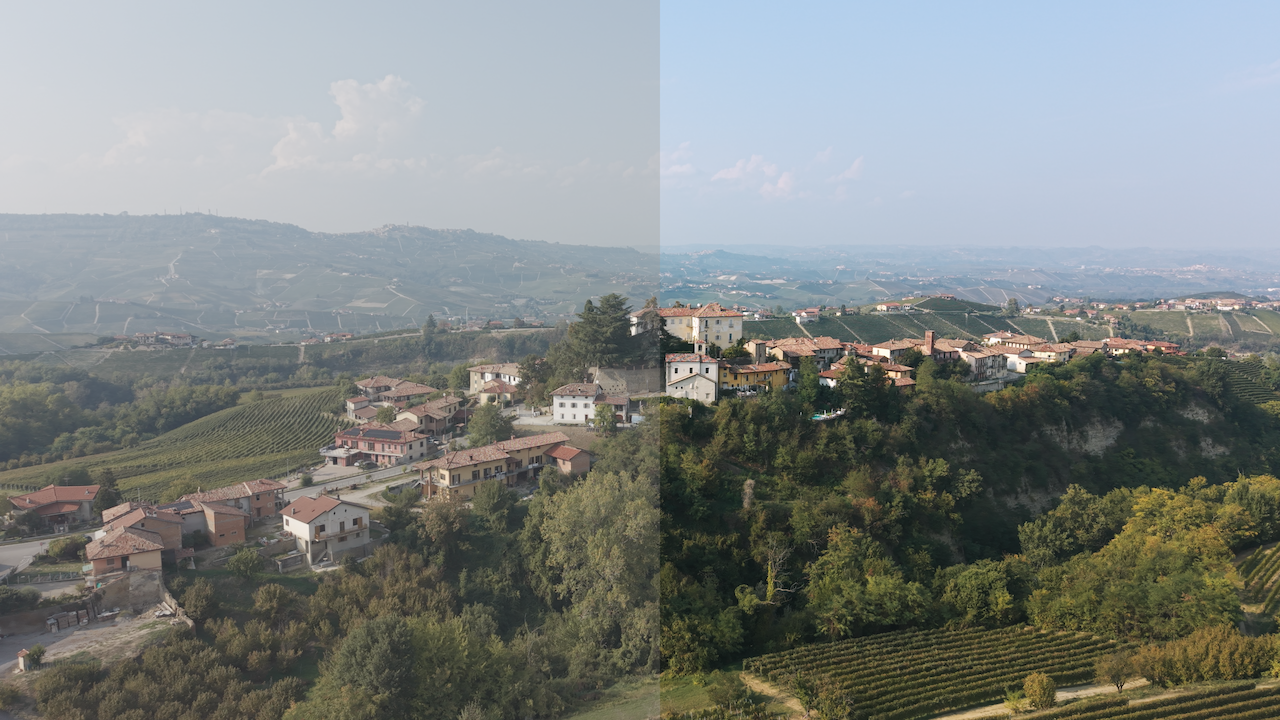
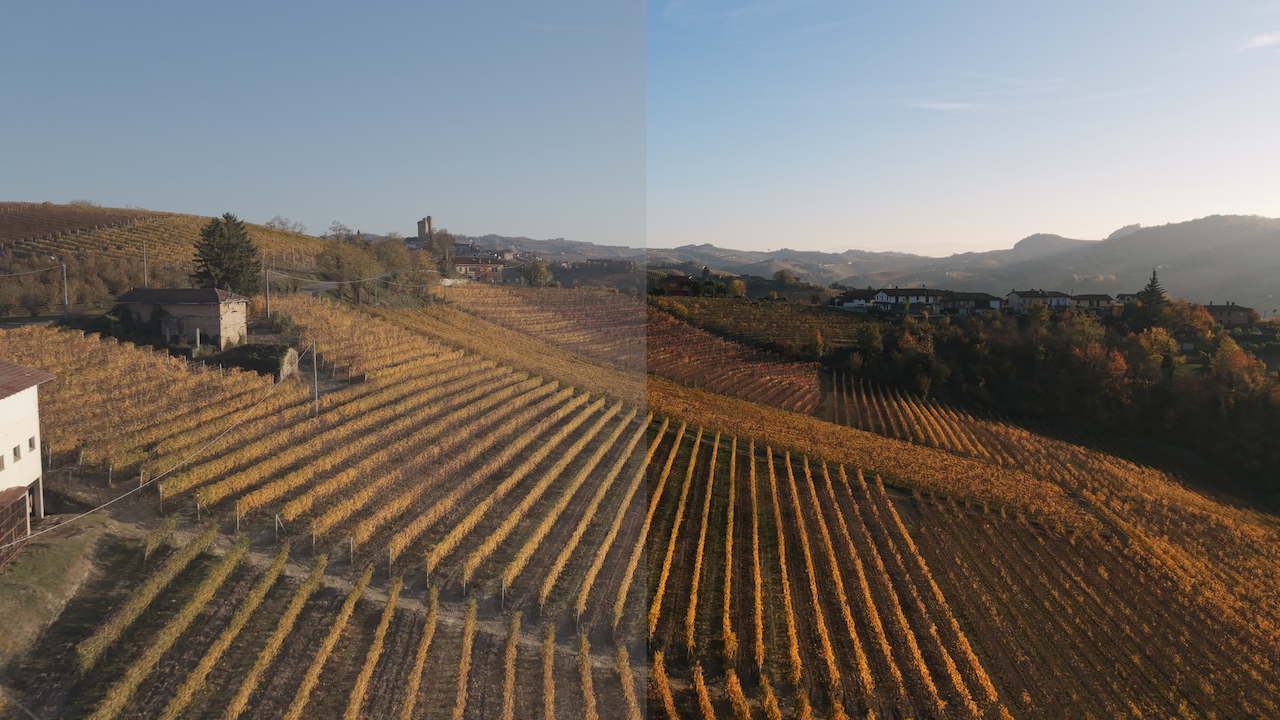
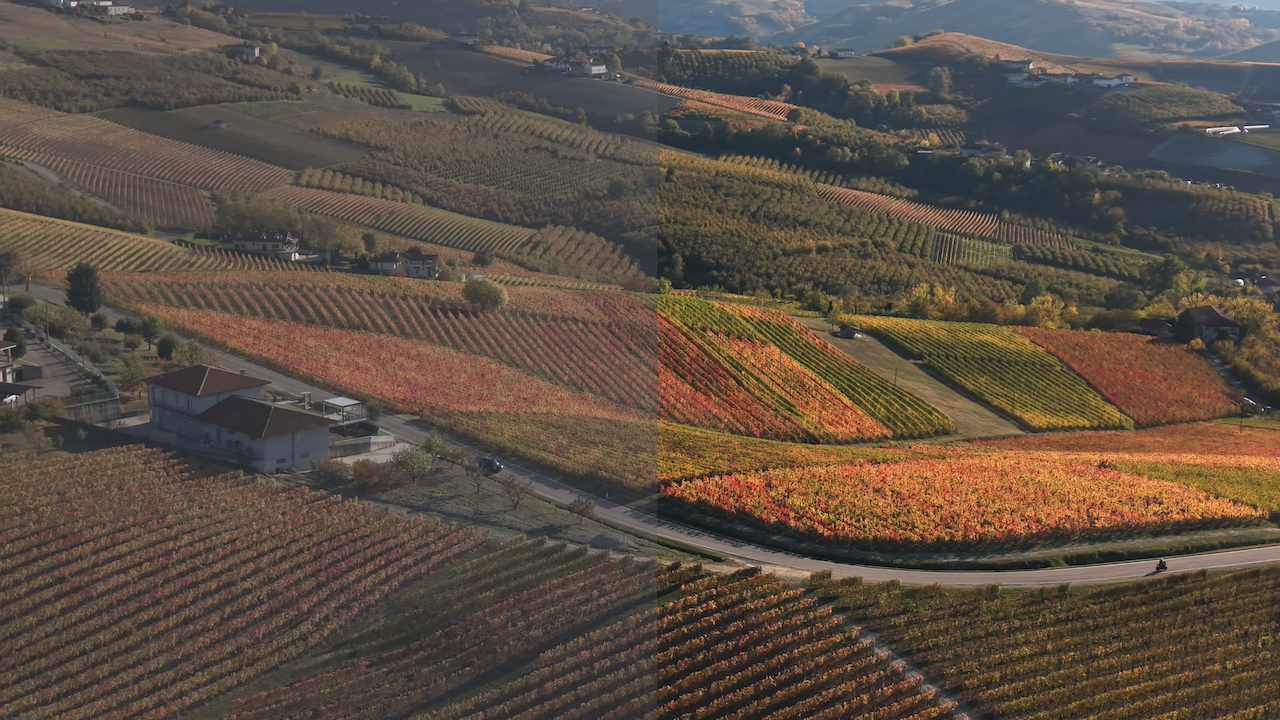
The goal isn't to create an exaggerated cinematic look with overly saturated colors or crushed shadows. It's to achieve a natural, pleasing image while preserving the character of the original footage.
From there, you can always take the grade in a more creative direction.
How to use BUTTERY LUTs with DJI Mini 5 Pro footage in DaVinci Resolve
One of the main advantages of BUTTERY LUTs is how simple the workflow can be.
You don't need multiple color space transformations or an elaborate node tree to get started.
Step 1 — Shoot in D-Log M
Select D-Log M in your DJI Mini 5 Pro recording settings.
Pay attention to exposure and white balance while shooting. Even the best LUT won't recover highlights that have been completely clipped or correct every exposure problem automatically.
Step 2 — Import your footage
Open DaVinci Resolve and import your Mini 5 Pro footage.
For a straightforward LUT-based workflow, use a standard DaVinci YRGB project with Rec709 output, making sure no additional automatic Log-to-Rec709 conversion is being applied.
Step 3 — Apply the Natural Rec709 LUT
On the Color page, select your clip and apply the BUTTERY Natural Rec709 LUT designed for DJI D-Log M.
That's your starting point.
The conversion takes care of the fundamental transformation, bringing your flat D-Log M footage into a natural Rec709 image.
You can choose from the included contrast variations depending on the scene and the overall look you're after.
Step 4 — Make any necessary adjustments
Every shot is different, so you might want to make small adjustments to exposure, white balance, or contrast.
If your footage requires corrections, these can be made in a node before the LUT.
For many properly exposed shots, however, the conversion itself can provide an excellent starting point.
No additional CST nodes or complicated color management are required for this workflow.
Can the DJI Mini 5 Pro match a Blackmagic PYXIS 6K?
One of the most interesting tests I've done recently was combining footage from the DJI Mini 5 Pro with footage from my Blackmagic PYXIS 6K.
These are obviously very different cameras.
The PYXIS is a professional cinema camera recording in Blackmagic RAW, while the Mini 5 Pro is a compact drone recording compressed 10-bit video.
They have different sensors, recording formats, and image characteristics.
But that doesn't mean their footage can't work beautifully together.
The important part is establishing a consistent starting point for color, contrast, saturation, and overall image rendering.
Using the appropriate BUTTERY Natural Rec709 conversions for each camera gives me a natural foundation from which to make any additional adjustments needed to bring the images closer together.
Of course, applying a LUT doesn't automatically make two cameras identical. Exposure, lighting, white balance, and sensor characteristics still matter.
But having a consistent color workflow makes combining footage from different cameras considerably more manageable.
In the following video, you can see real footage from both the DJI Mini 5 Pro and Blackmagic PYXIS 6K working together.
Natural Rec709 or Creative LUTs?
For the DJI Mini 5 Pro, BUTTERY LUTs offers two main options.
Natural Rec709 Collection
Designed for filmmakers looking for a clean, natural conversion from D-Log M to Rec709.
It includes multiple contrast variations and focuses on natural skin tones, pleasing colors, and smooth highlight roll-off.
This is my preferred starting point when I want to maintain a realistic image without introducing a strong creative look.
Explore DJI Natural Rec709 LUTs
Natural Rec709 + Creative LUTs
If you'd like more flexibility, the Natural Rec709 + Creative package combines our natural conversions with additional creative looks.
It's a good option when you want to experiment with different cinematic styles while keeping the workflow straightforward.
Explore DJI Natural Rec709 + Creative LUTs
Both packages include conversions compatible with DJI Mini 5 Pro D-Log M footage.
Can you use DJI D-Log or D-Log2 LUTs on the Mini 5 Pro?
This is an important distinction.
DJI uses several different recording profiles across its camera lineup, including D-Cinelike, D-Log M, D-Log, and D-Log2.
These profiles are not interchangeable, and a LUT designed for one shouldn't automatically be used with another.
The DJI Mini 5 Pro records in D-Log M, so it's important to use the corresponding D-Log M LUT.
Our DJI D-Cinelike / D-Log M collection includes dedicated conversions for the supported profiles, making it easy to choose the correct LUT for your footage.
Final thoughts
The DJI Mini 5 Pro is another example of how far camera technology has come.
It's an incredibly small and portable filmmaking tool, yet the footage can integrate surprisingly well into more demanding productions, even alongside cameras like the Blackmagic PYXIS.
And while modern cameras keep getting better, I still believe that color grading should be about enhancing the image rather than making the process unnecessarily complicated.
That's always been the philosophy behind BUTTERY LUTs.
Start with a natural conversion, make a few adjustments when needed, and focus on the image rather than the technical process.
If you're shooting with the DJI Mini 5 Pro in D-Log M and looking for a simple way to achieve natural, cinematic colors, explore our BUTTERY LUTs for DJI cameras.