
The Osmo Pocket 4P Has a Real Log Profile Now — Here’s What That Actually Means for Your Grade

Shot on DJI Osmo Pocket 4P - Graded with BUTTERY Eterna for DLog2
I’ve been putting the Osmo Pocket 4P through its paces for a couple of videos now — a travel film shot entirely on the Osmo Pocket 4P, and a more detailed first impressions breakdown — and there’s one spec that keeps pulling my attention away from the dual-lens thing everyone’s talking about: D-Log 2.
DJI’s Osmo cameras have always been fun, but they’ve never really been grading cameras. The Pocket 3 gave you a flat-ish profile (D-Log M) but let’s be honest, it wasn’t real LOG. The 4P is different. It introduces D-Log 2, a new 10-bit logarithmic color profile capturing over a billion colors, paired with a new 1-inch sensor that DJI claims delivers 17 stops of dynamic range (and I believe that). On paper, that’s actually more dynamic range of my Blackmagic cameras! Crazy.

Shot on DJI Osmo Pocket 4P - Graded with BUTTERY Natural Rec709 for DLog2
Why this matters more than the second lens
Everyone’s headline is the dual-lens setup — a 20mm-equivalent wide paired with a dedicated 60mm portrait lens — and sure, that’s a genuinely useful addition for run-and-gun work. But if you’ve been following what we do here, you know the thing I actually care about is what happens when you have such a compact camera with this kind of color profile and dynamic range.
A proper 10-bit log profile on a pocket camera is a bigger deal than it sounds. It means it can really be the best camera since it will always be with you. I actually think this might be the perfect camera for stock footage, vlogging and travel films, but it could be a great B-Cam to my main camera in tricky situations where I can’t bring my main cinema camera. What is very interesting is that the extra tonal latitude lets you recover highlights and lift shadows in post without the image falling apart, which makes grading feel genuinely flexible — exactly the kind of headroom that used to be reserved for cameras costing much more.
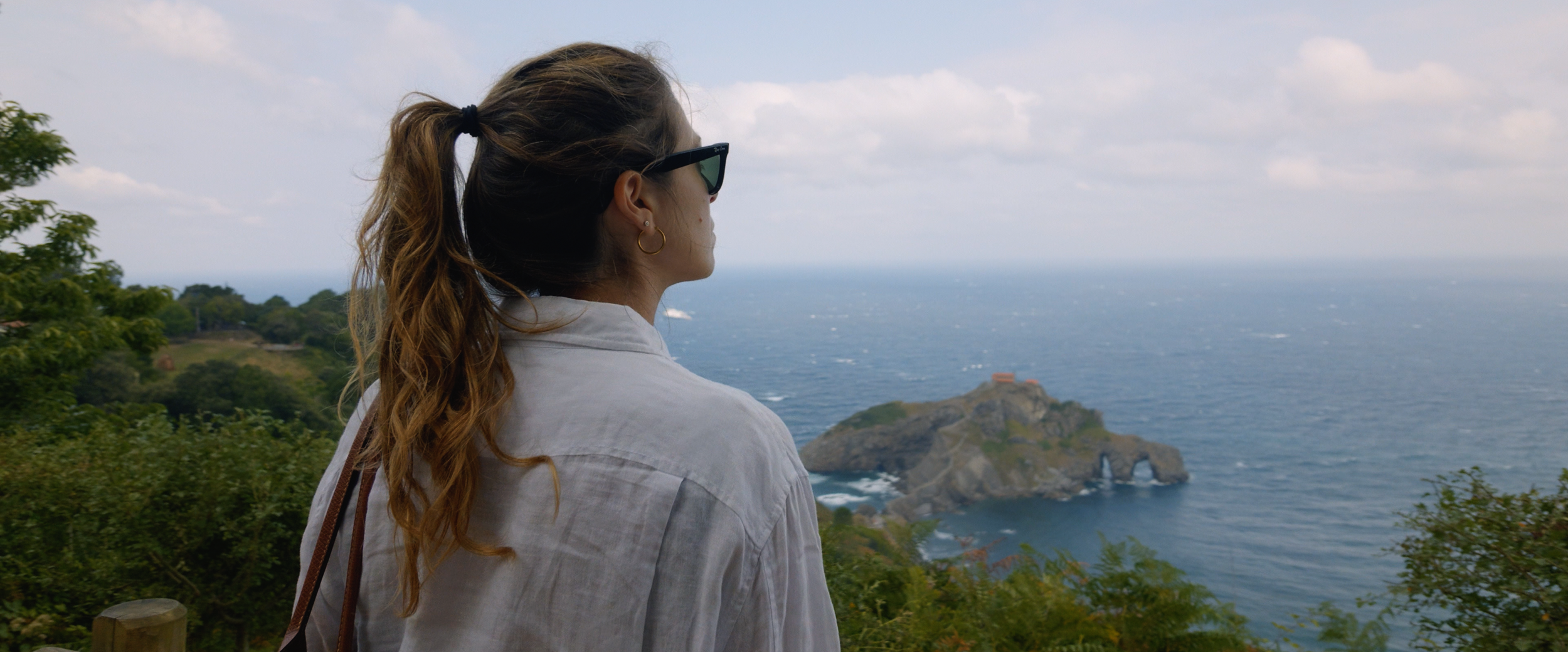
Shot on DJI Osmo Pocket 4P - Graded with BUTTERY Natural Rec709 for DLog2
The catch with any new log profile
Here’s the part that doesn’t make it into the marketing copy: a new log means new LUT needed. Like every manufacturer’s LUT, I am not a big fan of how those handle skin tones, roll-off and colors in general.
That’s the exact problem we built BUTTERY LUTs to solve in the first place. The generic DJI Rec709 LUT tends to have magenta skin tones that leans a little too red — the same issues we talked about when we first started this whole project. Cameras change. The problem doesn’t.
We’re already built a proper Natural Rec709 conversion for D-Log 2, the same way we’ve done for every S-Log, V-Log, C-Log and F-Log variant before it.
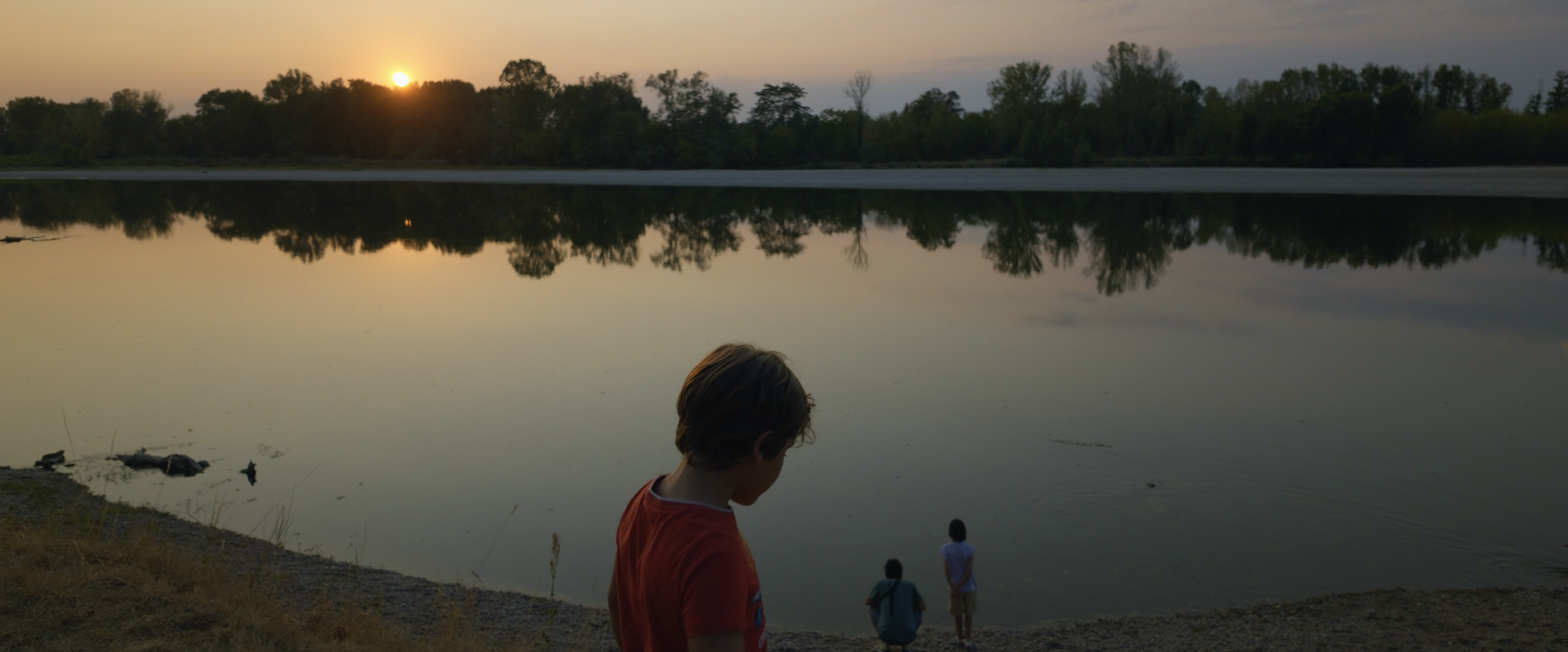
Shot on DJI Osmo Pocket 4P - Graded with BUTTERY Natural Rec709 for DLog2
How to get the most out of this camera:
If you’re shooting on the 4P, a few quick notes from testing it:
Shoot D-Log 2, not the standard color profile, even if you don’t plan to grade heavily. You can simply convert DLog2 to Rec709 with two clicks using the Natural Rec709 for DLog or DLog2.
Exposure. Use the exposure value (EV) and try not to go past +2 or -2 — even though D-Log 2’s extra dynamic range means you can recover more of both highlights and shadows than you’re used to. It’s tempting to push those limits just because the profile allows it, but staying within that range still gives you the cleanest, most flexible image to grade from.
Grade it properly. I know it’s tempting to reach for whatever LUT is already loaded in your bin, but a mismatched conversion LUT is often worse than no LUT at all. Good news: BUTTERY LUTs already supports the Osmo Pocket 4P and D-Log 2, so you don’t have to guess — grab the proper conversion and start from there.

Shot on DJI Osmo Pocket 4P - Graded with BUTTERY Eterna for DLog2
The bigger story here isn’t really the Osmo Pocket 4P specifically — it’s that log recording keeps trickling down into smaller and cheaper cameras every year. That’s a good thing for all of us. But it also means you need to convert your footage properly. A LUT built specifically for your camera’s log profile isn’t a shortcut — it’s the difference between a natural image and one you’ll spend hours fighting in the grade. Know your color profile, and use a conversion made for it, it will save you a lot of time!

Shot on DJI Osmo Pocket 4P - Graded with BUTTERY Eterna for DLog2
If you want to see the camera in action before deciding whether it’s worth adding to your kit, check out the travel filmI shot on it, or the first impressions video for a closer look at how D-Log 2 behaves in the field. I’ll post more videos in the near future for sure!
Matteo

This complete DJI LUTs package combines BUTTERY Natural Rec709, our Log-to-Rec709 conversion LUT, with 17 creative LUTs designed for DJI D-Log and D-Log2 footage.
Compatible with DJI Mavic 4 Pro, Mavic 3 Pro, Mavic Air 3, Mavic Air 3S, Mavic 2, Phantom 4 Pro, Inspire 2/X7, Ronin 4D and Osmo Pocket 4/4P. The package includes versions developed specifically for D-Log and D-Log2, for a total of 89 LUTs.
Natural Rec709 gives you a clean, neutral starting point for color grading, with natural skin tones, accurate color and smooth highlight roll-off. It can also be used as an in-camera monitoring LUT where supported.
The Creative LUTs are designed to stylize your footage with 17 different looks inspired by commercial and cinematic color grades, including Eterna-inspired looks, black & white, Tobacco Filter, Crunchy Gold, Day X Night and more. The looks are designed to retain detail in highlights, shadows and skin tones while giving the footage a stronger creative character.
All LUTs are supplied as standard .cube files and work with DaVinci Resolve, Adobe Premiere Pro, Final Cut Pro and any software that supports LUTs.
For X7 and Mavic 3 footage, use the LUTs labeled “X7.”